
FreeEarly game

These Minecraft castle blueprints split a fortress into layers, so you build it wall by wall and tower by tower. Start with an 11 × 11 watchtower or go straight to a 38 × 38 courtyard castle.
Works with Java and Bedrock, on PC, console, phone and tablet. No mods needed.
Watchtowers, a gatehouse, a small castle, a keep and a castle with a courtyard. Two are free with every layer, the rest open the first three.


No builds with this difficulty here.
Missing a build? Request it
Castles are wide. Layer 1 shows the outline of every wall and tower, so mark the corners with torches or wool before you build anything high.
Go up one layer at a time and finish that layer on every wall and tower before moving on. The tops then stay level with each other.
The top layers hold the crenellations and the roofs. Switch on the layer below to see which wall block sits under each gap.
Start with the numbers. The Castle Watchtower covers 11 × 11 blocks, stands 18 layers tall and has 716 blocks. The Small Castle is 20 × 20 with 16 layers and 1,975 blocks. The Castle Keep measures 30 × 30, reaches 35 layers and needs 6,238 blocks, and the Courtyard Castle spreads over 38 × 38 with 6,044 blocks.
A stack holds 64 blocks, so the keep comes to about 98 stacks. That is two double chests, and it is a lot to carry in one trip. The material list shows the total for the whole castle and the count for each single layer, so you can bring only what the next layers need.
Stone bricks are the main material in every castle here. A stonecutter turns one stone into one stone brick, and it makes stairs, slabs and walls with no loss from crafting grids. Smelt your cobblestone into stone first, then cut it. Cracked, mossy and chiseled stone bricks add age, and the lists give you the exact amount of each.
The small castle at the foundation, halfway up and at the top. Open it to follow the walls and towers through every layer.
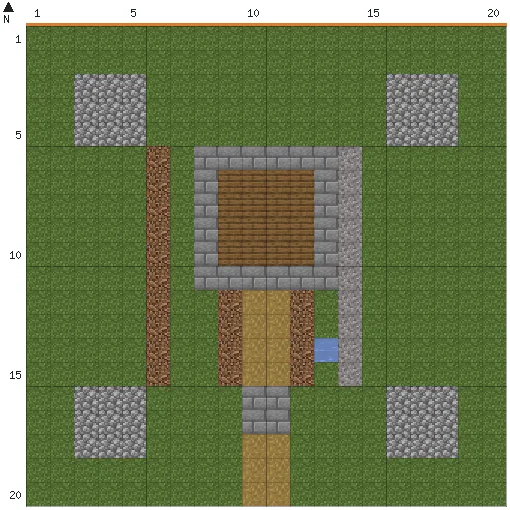
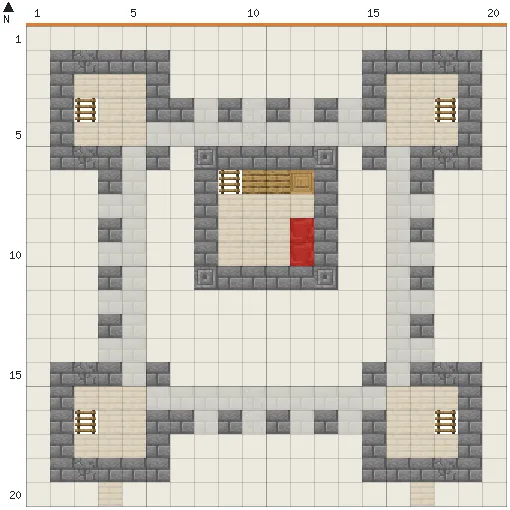
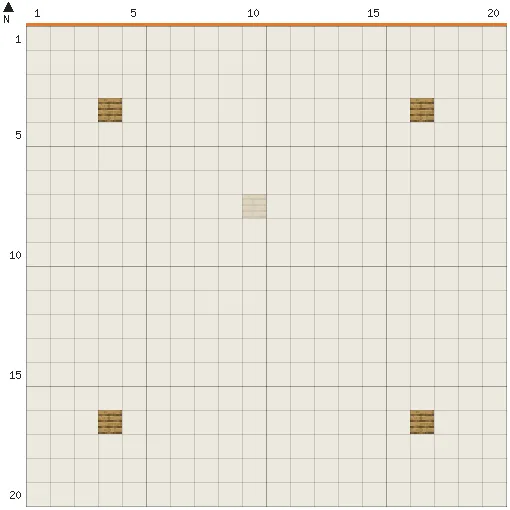
A wall looks solid from outside and is a ring on the map. Count its thickness on layer 1 first, then keep that number as you go up. If a tower has a curved outline, the map draws it as a stepped ring, and the ruler numbers help you find the corner of every step.
Battlements are the part that is hardest to copy from a screenshot. On the top layers they appear as a row of one block, one gap, one block. With the layer below switched on, you see a wall block under every raised block and the walkway under every gap. Place the raised blocks first and fill the gaps afterwards.
Use the stairs and slabs the maps mark. A triangle on a stair shows the side it faces, and a T marks a top half. Roof stairs on a tower point up the slope, so check the triangle before you place each one.
A fortress needs company. Add the Castle Gatehouse at the entrance, and look at the medieval builds for houses to put outside the walls.
The Small Castle and the Castle Watchtower are free with every layer. The gatehouse, the keep and the courtyard castle open the first three layers and the full material list. Pro opens every layer and adds PDFs and schematic files.
$0
No account needed to start
$4.99 / month
Billed every month, cancel any time
$14.99 / year
$1.25 a month, billed once a year
Prices in US dollars. Payments are handled by Paddle. You can cancel in your account at any time.
A watchtower fits in 11 × 11 blocks. A small castle needs 20 × 20, and the large ones here reach 30 × 30 and 38 × 38. Clear a flat area a few blocks wider than the footprint.
Yes. The Small Castle has 1,975 blocks, about 31 stacks. Collect cobblestone, smelt it to stone and use a stonecutter for stairs and slabs.
Mix in cracked and mossy stone bricks. The material list of each castle says how many of each you need, and clicking a material in the viewer shows where it goes.
Build the Castle Watchtower first. It is free, 11 × 11 and teaches walls, floors and battlements in 716 blocks.
With Pro you can download every build as .litematic or .schem. The Litematica schematics page explains how to load and place a file.
Every castle uses only blocks from Minecraft Java Edition 1.20.1, so it also builds in newer versions.