
Free

Redstone is easy to get wrong by one block or one direction. These builds come as layer maps, so you can see where every repeater, comparator, hopper and observer goes before you place it. Start with the lamp post and work up.
Works with Java and Bedrock, on PC, console, phone and tablet. No mods needed.
Each build has a layer viewer, a 3D view and a material list. New ones come out on fixed dates; the request page lists what is coming next.
No builds with this difficulty here.
Missing a build? Request it
Open the build and step through the layers once. The material list tells you how many hoppers, observers or comparators to bring.
Place the blocks of one layer, then check them against the map. Hover over a cell to read the direction of a repeater, comparator, hopper or observer.
Run the design with a few items or one plant before you stock it. If something is off, the layer map shows which block to turn.
The Automatic Lamp Post is the easiest and it is free: an inverted daylight detector sits on a redstone lamp, so the lamp lights up in the dark and goes out at dawn. Right-click the detector once to invert it.
The Auto Smelter is four furnaces fed by hoppers. You fill a chest on top with ore, sand or raw food and a chest on the side with fuel, and the results land in a chest at the bottom. It has no redstone dust, so it works the same on Java and Bedrock.
The Item Sorter is the classic hopper sorter with a comparator, a repeater and a redstone torch, with overflow protection. The Sugar Cane Farm and the Pumpkin and Melon Farm harvest themselves with observers and pistons.
The redstone in these builds follows Java Edition rules. The sorter is a Java design and Bedrock needs a different one. For the farms, build and test one unit on Bedrock before you copy it.
The base, the post with the redstone lamp, and the daylight detector on top. Every redstone build in the viewer uses the same kind of maps.
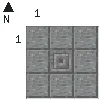
Most redstone mistakes are directions. A repeater that points the wrong way, a comparator in subtract mode instead of compare mode, or an observer that watches the wrong block will break the whole design.
The layer map shows the build from above one slice at a time, and hovering over a cell shows the block and its properties: the facing of a hopper or piston, the delay of a repeater, the mode of a comparator. For an observer, remember that the face looks at what it watches and the red dot is the output. If you can read the map, you can place the block the right way round.
Click a material in the list to light up every cell that uses it. That makes it easy to count the hoppers in the sorter or to spot the one piston you forgot.
The free builds show every layer. On the others you see the first 3 layers and the full material list. Pro opens every layer, the 3D view, the printable PDF and the Java and Bedrock files.
$0
No account needed to start
$4.99 / month
Billed every month, cancel any time
$14.99 / year
$1.25 a month, billed once a year
Prices in US dollars. Payments are handled by Paddle. You can cancel in your account at any time.
An automatic lamp post, an auto smelter with four furnaces, a hopper item sorter, an automatic sugar cane farm and an automatic pumpkin and melon farm.
The Automatic Lamp Post. It uses one inverted daylight detector and one redstone lamp, and it is free with every layer.
The auto smelter has no redstone dust and works the same on Java and Bedrock. The other redstone designs follow Java Edition rules, so build and test one unit on Bedrock first.
The face of the observer looks at the block it watches, and the red dot on the back is the output. Hover over the observer in the layer map to read its facing.
New builds come out on fixed dates. A build named in the text but not in the grid yet is one of them: the request page shows when it arrives.
Pro gives you .litematic and .schem files for Java Edition 1.20.1 and newer, and .mcstructure and .mcpack files for Bedrock, plus a printable PDF.
Pick a build from the list and read its layer maps. New to redstone? The Automatic Lamp Post takes a few minutes.
Browse redstone builds
